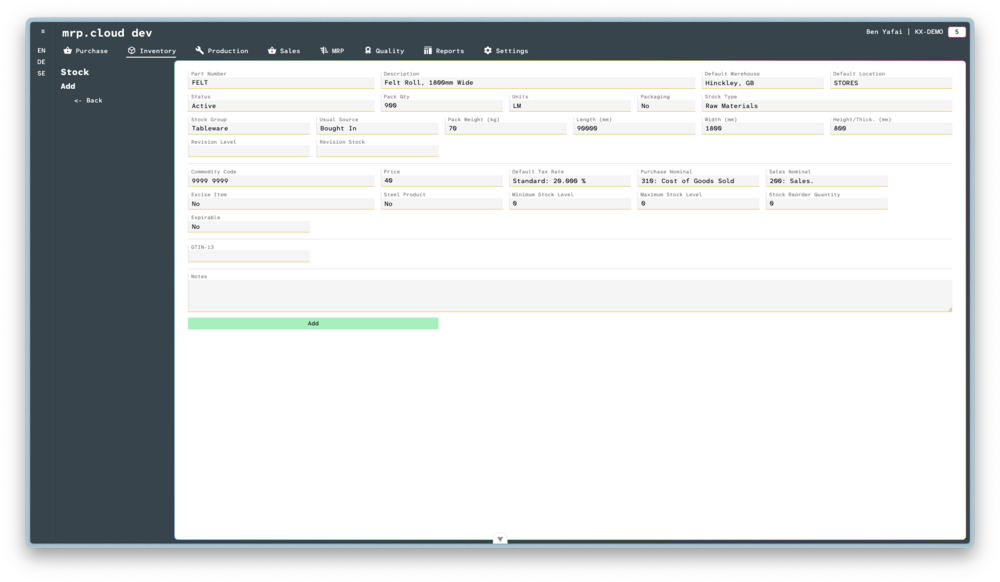
Stock - Create Item
The stock page holds information about your stocked goods and is the basis for all operations in the MRP system.
- 1
Navigate to Inventory, then Stock page and click
Addin the top corner to begin a new stocked item- 2
Type, or select, the details of the new stock item, a full description of each field shall follow:
Here you can freely type the Part Number and Description of the new item
When new batches are received, either through Purchase Order or Work Order, this is the location that new items shall be placed.
For example, for items that are normally manufactured, this could be a production location.You can choose from a predefined list of states for this item:
Active - These are current items that are available for purchase, manufacture, and sales.
Hold - These items are still current, but we prevent any purchase, manufacturing, or sales.
Prototype - These items are available for purchase, manufacture and sales, but will not be included in MRP runs. They can be manufactured without a route specified.
Discontinued - These items are no longer current, and may have been replaced by a Revision level. See below for more detail.The quantity of this item that would normally be packaged together.
For example, this could be a box with a single item, or it could be a roll of material consisting of 10 linear metres.Select the unit of measure of the item.
This list is compiled from ANSI UoMYes/No option to determine if this stocked item is packaging.
When in a Picklist or Delivery, the system will filter the available packaging depending on this choice.If Packaging is set to No:
You can choose from a list of options for the type of stock.
For example, you could determine between Raw Materials, Components and Finished Goods.
Users with the correct permission can add new options at any time.If Packaging is set to Yes:
you can choose from four predefined types: Pallet, Box, Lid, Simple Unit.
This enables the system to classify the types of packaging to determine the hierarchy of Advanced Shipping Notices (ASNs)You can choose from two predefined sources: Bought In and Manufactured.
When planning MRP, the system will use this to determine whether to raise a purchase order from your suppliers, or raise an internal work order.When receiving stock, either through a purchase or work order, this location will be used to store the new stock.
You can allocate and move stock later.The version number of this item, and the item that it has replaced.