Maintenance and Calibration
- 1
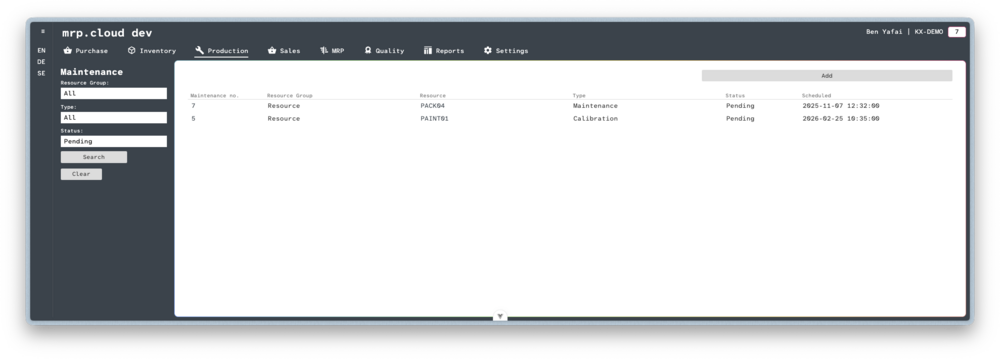
Navigate to Production, then Maintenance, then click the
Addbutton in the top cornerHere you can enter details about the Maintenance.
First choose the Resource Group, you can choose from Tool or Resource.
Then you can choose the specific Tool or Resource in the Resource ID field.Now choose the Type, you can choose from Calibration or Maintenance.
Lastly, enter the date that the next maintenance is Scheduled, and when the current maintenance Expires.
Then click
Add

- 1
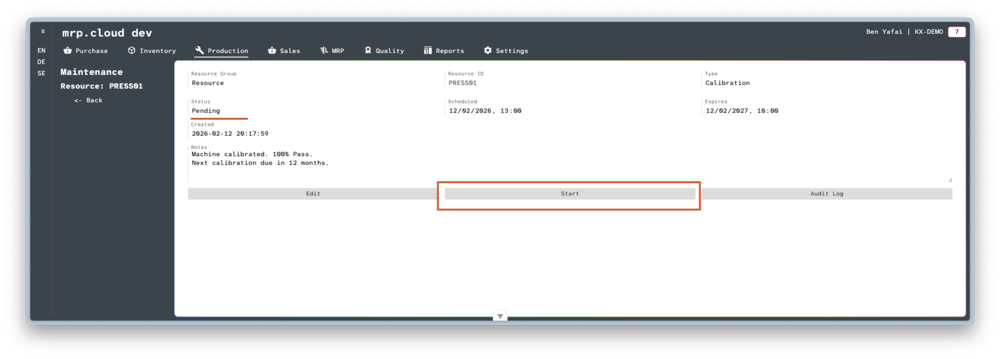
When a scheduled Maintenance is due, open the Pending Maintenance record, and click on
Start- 2
The status is now Running, you can close this page and come back to it when you are ready.
When Maintenance is then complete, click onEnd- 3
The status will now show as Complete.
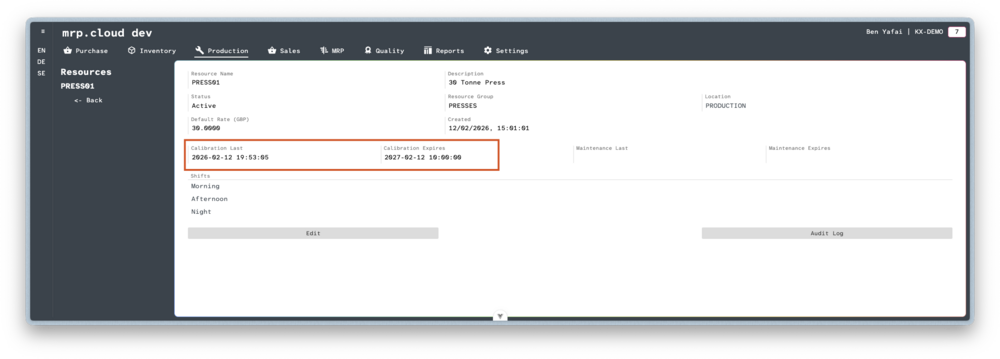
You can navigate directly to the Resource, or Tool, and view the latest Maintenance record directly.