

Work Orders - Allocating Stock
- 1
Click
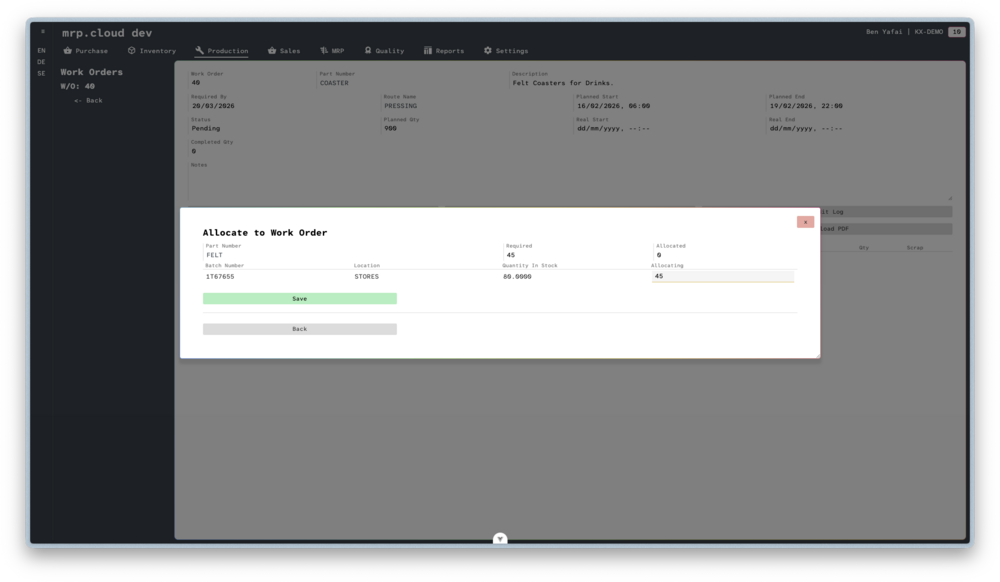
Allocate, to open the Allocate to Work Order screen.- 2
The system will list all components of this Work Order based on the Bill Of Materials.
For each component, the system will list the Batches in stock with their respective Location and Quantity In Stock.
The batches are listed in FIFO or FEFO order, depending on your system setting.
Type the quantity to use into the appropriate Allocating field, then click
Save

If you choose not to Allocate raw materials before the Work Order is started, the system will automatically perform allocations when finished quantities are processed.
The system will always allocate based on FIFO or FEFO order, depending on your system setting.