

Work Orders - Creating
- 1
Navigate to Production, then Work Orders, then click the
Addbutton in the top corner- 2
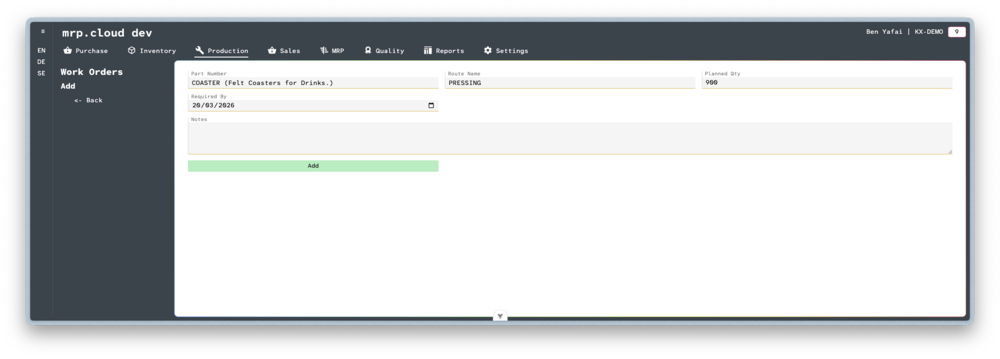
Here you can enter details about the Work Order.
Choose the Part Number. Only Stock Items with a Route linked will appear in this list.
Choose the specific Route that is linked to this Item.
Enter the Planned Qty
Enter the date that the work is Required By
Then click
Add- 3
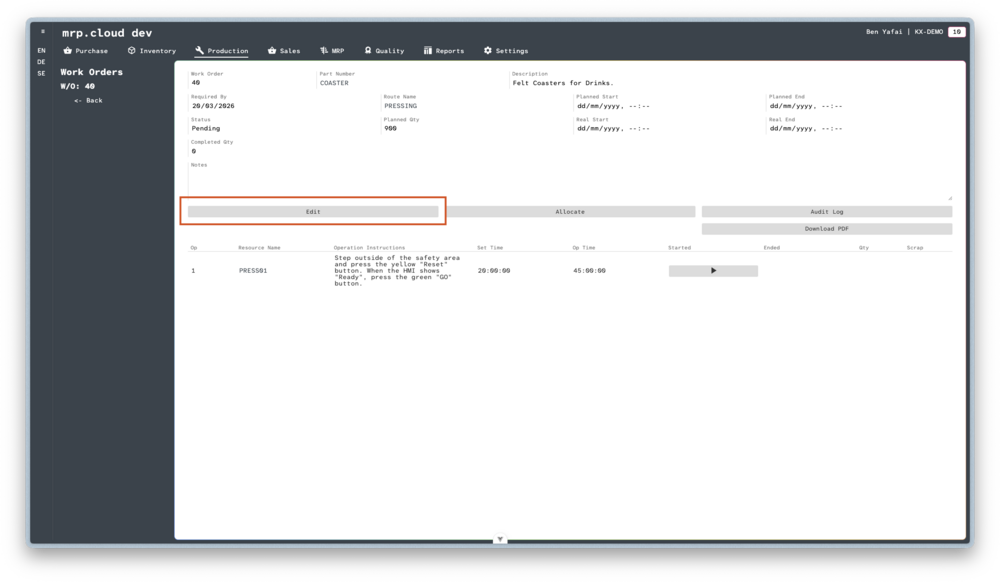
Once the main record is created, you will see the full details of the Work Order.
Toward the bottom of the main record is a list of Jobs.
Each Job has been templated from the Operations linked to the chosen Route.click
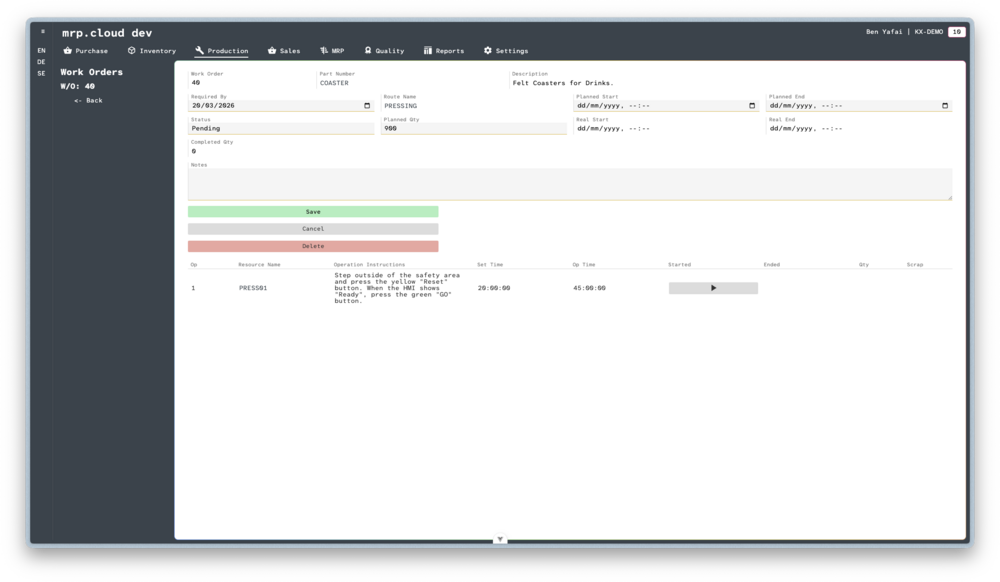
Edit- 4
Here you can enter the Planned Start and Planned End dates. They are optional.

You can now Allocate Stock, or begin Running the Work Order